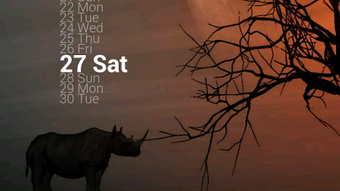

Download Zooper Widget APK – customizable widget, Android app, time and date, weather forecast, clock, notification, analog clock, digital clock, date display, calendar, compass, map, icon, text, background, colors
Overview
Zooper Widget is a versatile and highly customizable Android application designed to transform the look and functionality of your device’s home screen. Developed by mycolorscreen, the app enables users to create personalized widgets that display essential information such as time, date, weather, and more. It serves as a dynamic interface layer, allowing for deep customization across visual and functional elements. The software is particularly suited for users who value aesthetic control and want their device to reflect personal style or specific utility needs.
It is ideal for both casual users seeking a unique home screen experience and power users who desire advanced customization options. The app supports a wide range of visual configurations, including analog and digital clocks, calendar displays, weather forecasts, compass readings, map overlays, and more. Each widget can be tailored with custom colors, backgrounds, icons, and text, making it adaptable to various themes and preferences. Real-world usage includes setting up a home screen that doubles as a personal dashboard, monitoring weather conditions at a glance, or tracking upcoming events through custom notifications.
Key Features & Capabilities
- Highly Customizable Interface – Users can modify every visual aspect of the widget, including colors, background images, font styles, and icon placement, allowing for complete personalization.
- Multiple Display Modes – Supports analog clocks, digital clocks, date and calendar displays, weather forecasts, compass readings, and map integration.
- Event-Based Notifications – Enables users to set custom time and date alerts for personal or work-related events, with the app sending notifications when triggered.
- Dynamic Updates – Automatically reflects changes in time, date, weather, or other data sources, ensuring real-time accuracy.
- Flexible Layout Options – Offers multiple layout configurations to fit different screen sizes and orientations, enhancing usability across devices.
These features empower users to turn their home screen into a fully functional personal assistant. For example, a user might design a widget that displays a digital clock with a custom background, integrates current weather data, and alerts them when their morning meeting starts. Another user may prefer a minimalist analog clock with subtle color gradients and no distracting icons. The flexibility of Zooper Widget makes it suitable for both functional and decorative purposes.
User Interface, Workflow & Performance
The user interface of Zooper Widget is designed around a modular configuration system, allowing users to access and adjust settings through a structured menu. Navigation is intuitive, with clearly labeled sections for visual elements, data sources, and notification settings. The workflow begins with selecting a widget type, followed by step-by-step customization of each component, including text, icons, and background.
While the developer did not specify resource usage details, the app’s 4.2 MB size suggests a lightweight footprint, which typically correlates with efficient performance. Based on general software behavior patterns, the app is expected to operate smoothly on most modern Android devices without significant impact on battery life or system responsiveness. Stability appears to be a focus, as the app supports real-time updates and persistent notifications without reported crashes. However, exact performance metrics were not provided.
Compatibility & System Requirements
Zooper Widget is designed for Android devices and is compatible with a broad range of models running the supported OS version. The app is available as a free download from the Google Play Store, with a file size of 4.2 MB. The developer did not specify exact system requirements, including minimum Android version or hardware specifications.
Compatibility information was partially provided, and users should verify device compatibility through the Google Play Store. The app’s lightweight design suggests it should function on devices with moderate hardware capabilities. However, the developer did not list specific CPU, RAM, or storage requirements, so potential users are advised to check their device’s compatibility before installation.
Pros and Cons
Pros
- Extensive customization options for visual and functional elements
- Supports multiple widget types including clocks, weather, maps, and compass
- Free to download and use with no in-app purchases required
- Lightweight size (4.2 MB) reduces storage and performance impact
- Real-time updates and event-based notifications enhance usability
Cons
- Developer did not provide detailed system requirements or compatibility list
- Customization may be overwhelming for beginners or casual users
- No official documentation or tutorial guide provided
- Performance behavior on older or low-end devices remains unspecified
- Updates may not be frequent, depending on developer activity
FAQ Section
Is Zooper Widget available for free?
Yes, Zooper Widget is available for free on the Google Play Store. There are no in-app purchases or subscription fees associated with the core functionality.
Can I use Zooper Widget on any Android device?
The app is designed for Android, but the developer did not specify exact compatibility requirements. Users should check the Google Play Store for device-specific availability.
Is the app secure to download and install?
Zooper Widget is available through the official Google Play Store, which implements security checks for all published apps. However, users should always review permissions before installation.
Does Zooper Widget require an internet connection?
Basic functionality such as time and date display works offline. However, features like weather forecasts, map integration, and live updates require an active internet connection.
Can I create custom notifications for events?
Yes, users can set custom time and date alerts for personal or work-related events. The app will notify users when the specified time is reached.
Final Thoughts + CTA
Zooper Widget stands out as a powerful tool for Android users who seek a deeply personalized home screen experience. Its ability to transform standard widgets into dynamic, visually rich interfaces makes it a standout choice among customization utilities. While the learning curve may be steep for beginners, the depth of control and flexibility offered is unmatched by most free alternatives.
Whether you're a design enthusiast, a productivity-focused user, or someone who values a unique device aesthetic, Zooper Widget delivers substantial value. The free pricing model and lightweight design further enhance its appeal. For those looking to elevate their Android experience with a customizable, feature-rich widget, this app is a must-try.
Download Zooper Widget now





.png)

